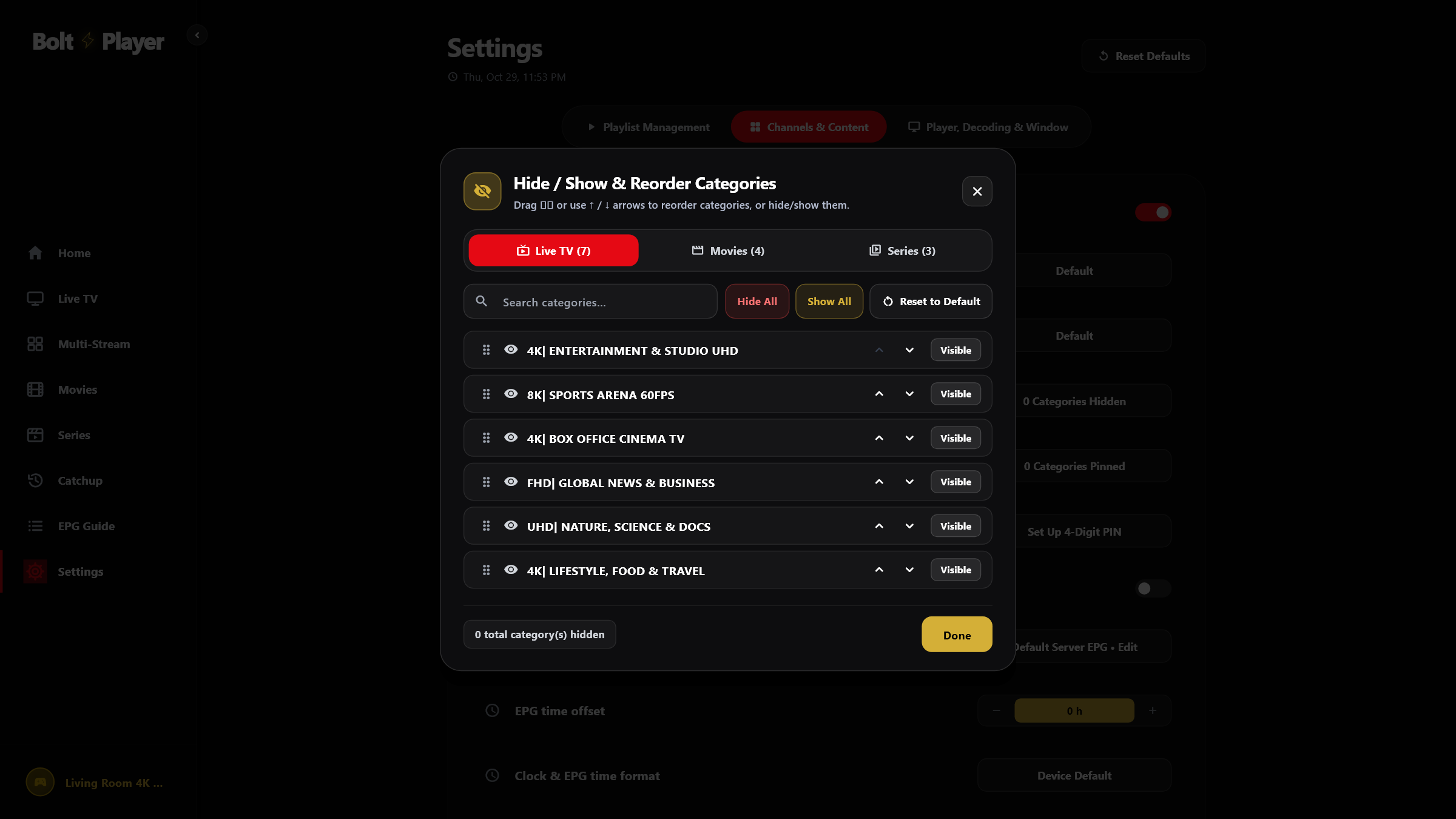
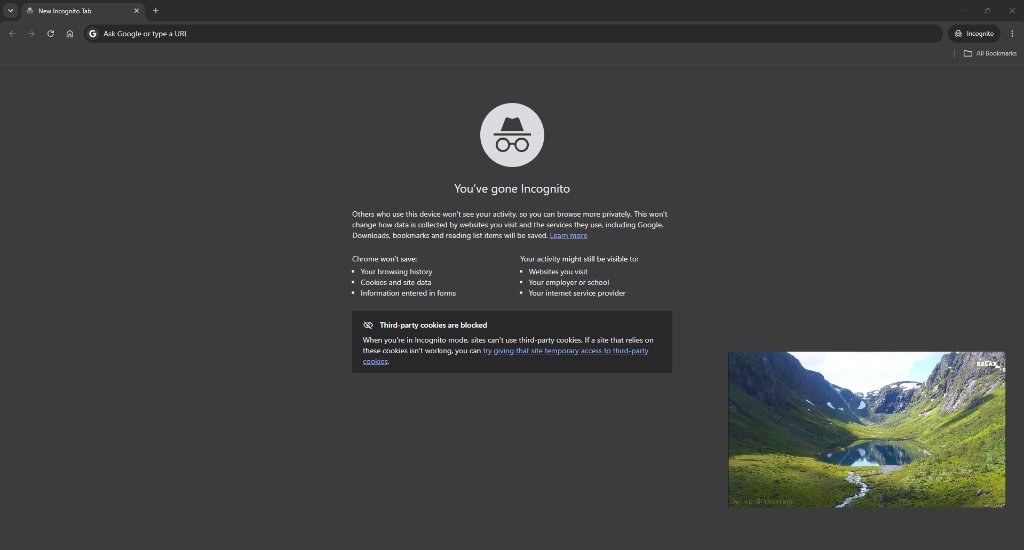
Watch While You Work
Floating Mini Player
Pop out your live game, news channel, or movie into a borderless mini window that stays pinned on top while you browse the web, answer emails, or play games.
Upload your playlist in seconds and enjoy your favorite live channels, movies, and shows. Pop out a floating mini screen while you work, watch 4 games at once, pick up right where you left off, and keep your family profiles organized.
Important Disclaimer — Media Player Only: BoltPlayer is a standalone media player application and does not provide, host, include, or sell any TV channels, movies, or IPTV playlists. To use BoltPlayer, you must upload your own playlist.
SEE IT IN ACTION
Click through each screen below to see how BoltPlayer makes browsing live TV, sports, movies, and series effortless.
Jump between live TV, movie posters, and your favorite series from a clean, easy-to-read home menu.
MADE FOR EVERYDAY WATCHING
Pop out a floating mini screen while you work, watch four live games at once, replay missed shows, customize subtitles, and organize up to 20 family profiles.
Pop out your live game, news channel, or movie into a borderless mini window that stays pinned on top while you browse the web, answer emails, or play games.
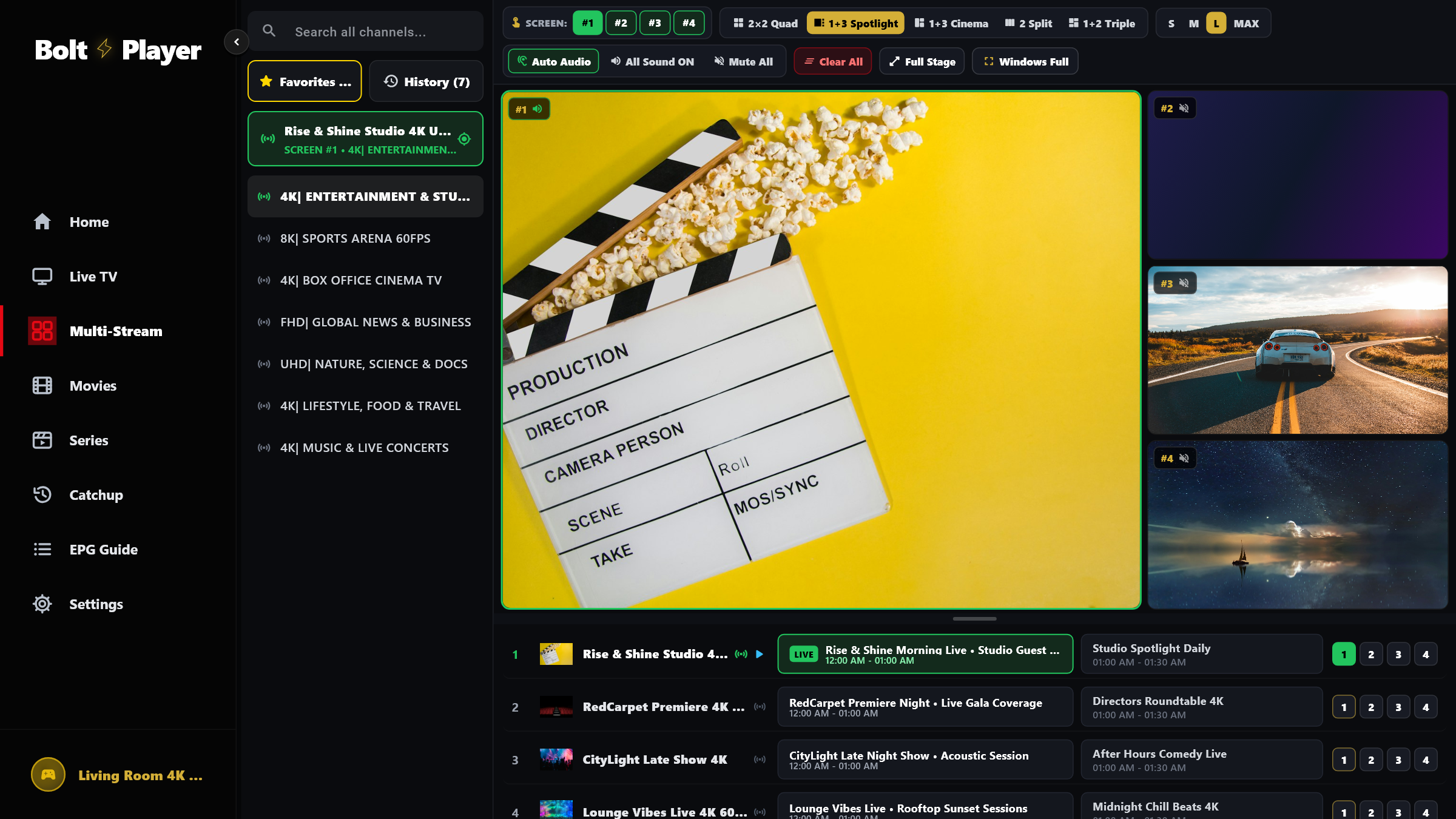
Follow up to four live sports matches or news broadcasts side-by-side. Choose from 5 screen layouts and click any window to switch audio on the fly.
Star your favorite channels, movies, and series for instant access, and pick up any episode from the exact second you stopped watching.
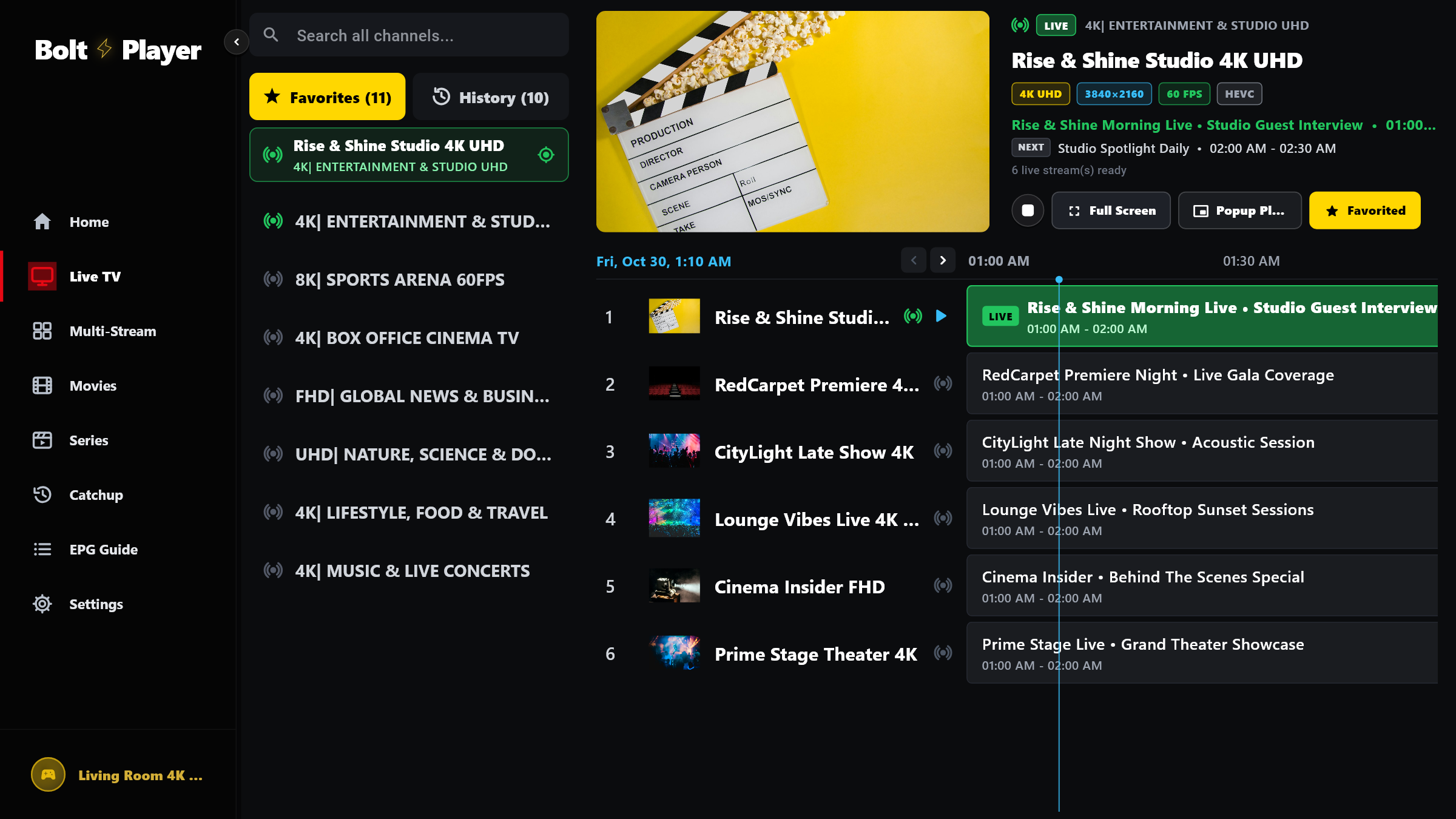
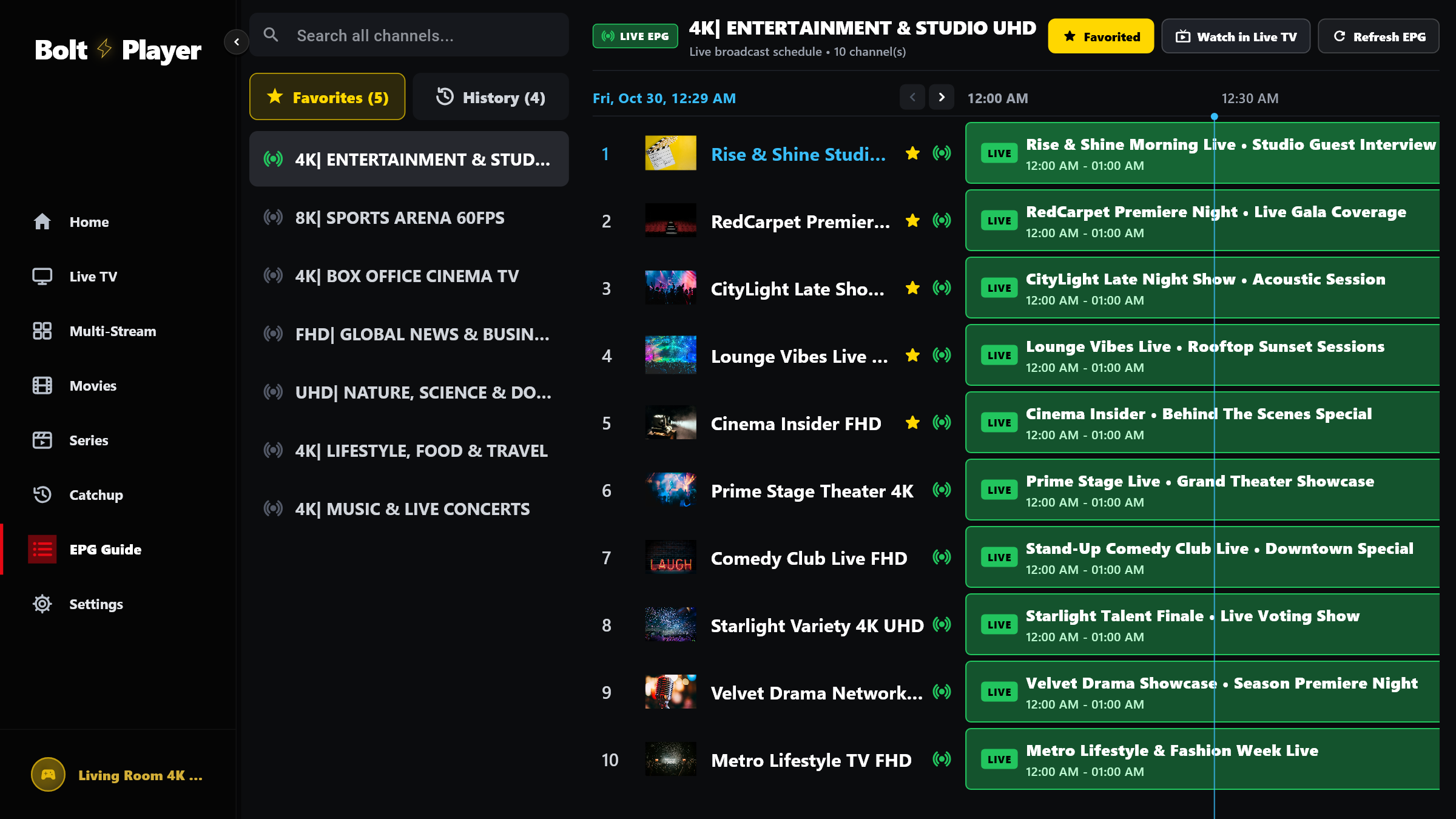
See what is playing right now and what is coming up next across all your live channels on a clear, easy-to-read visual timeline.
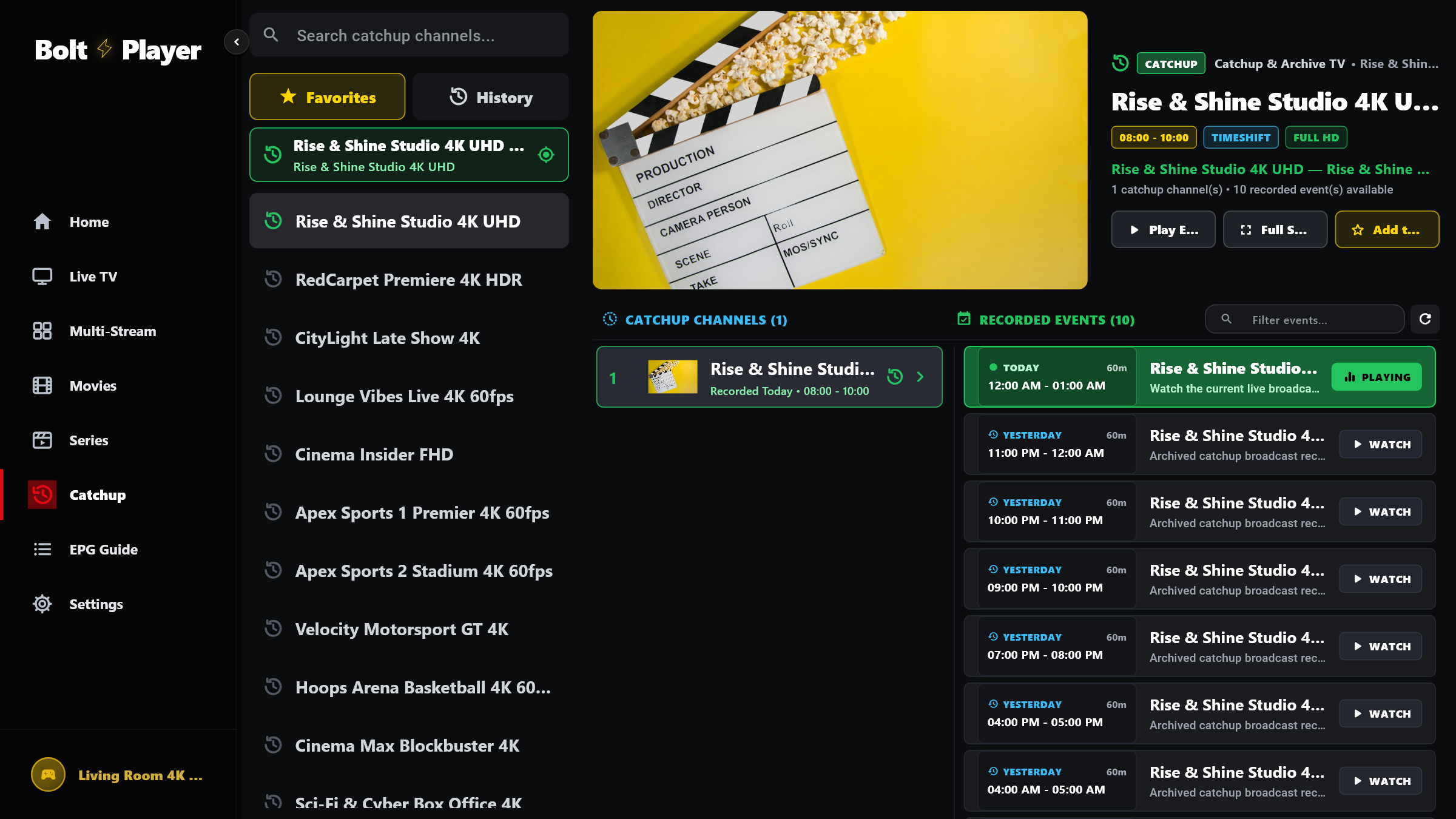
Missed a live match or evening show? Browse previous days on supported channels and replay past broadcasts with a single click.
Enjoy a theater-style home screen that organizes your Live TV channels, on-demand Movie posters, and multi-season Series with fast search and instant playback.
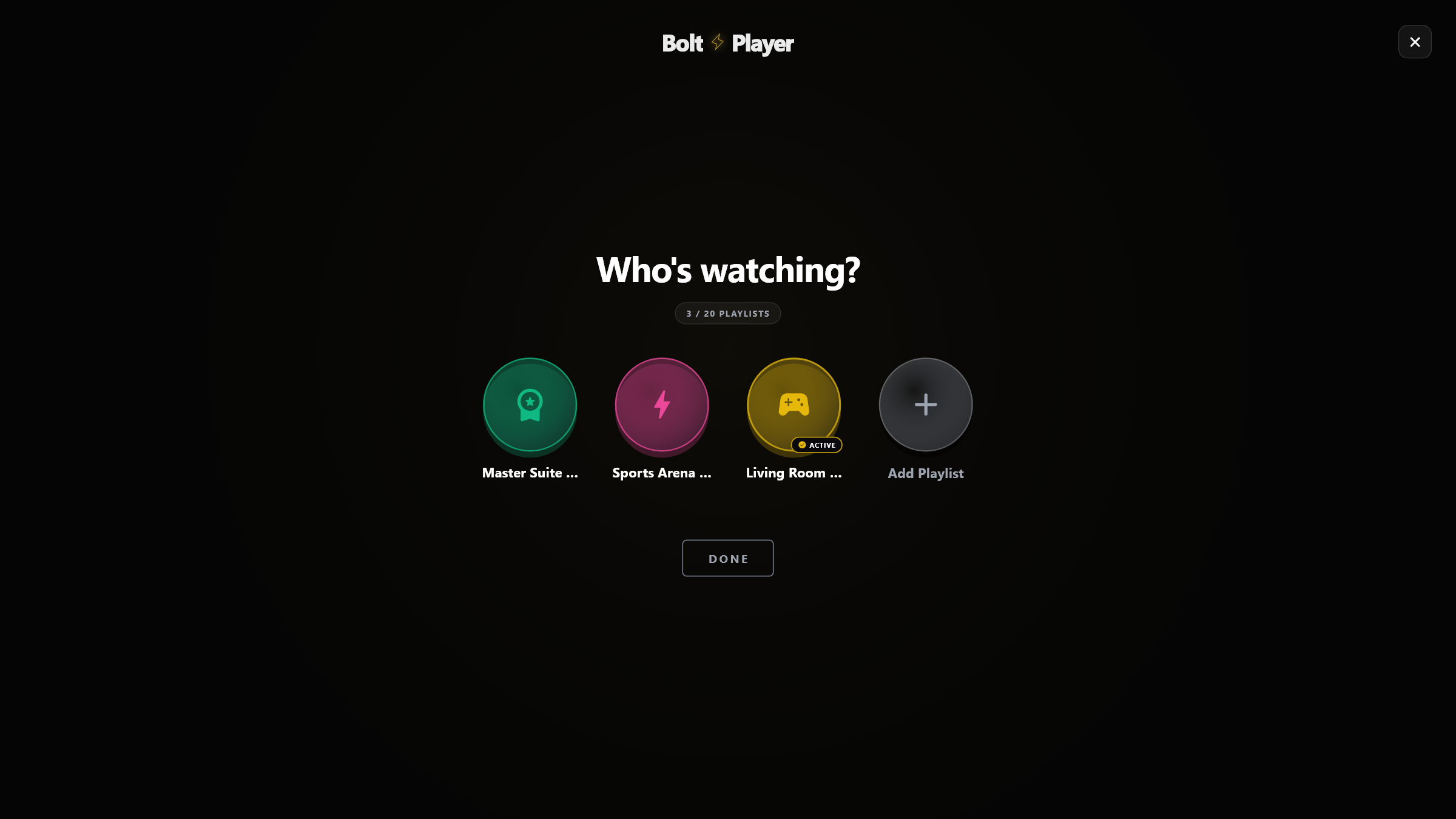
Give everyone in the household their own personal profile—each with separate favorites, language settings, and watch history—plus easy QR setup from your phone.
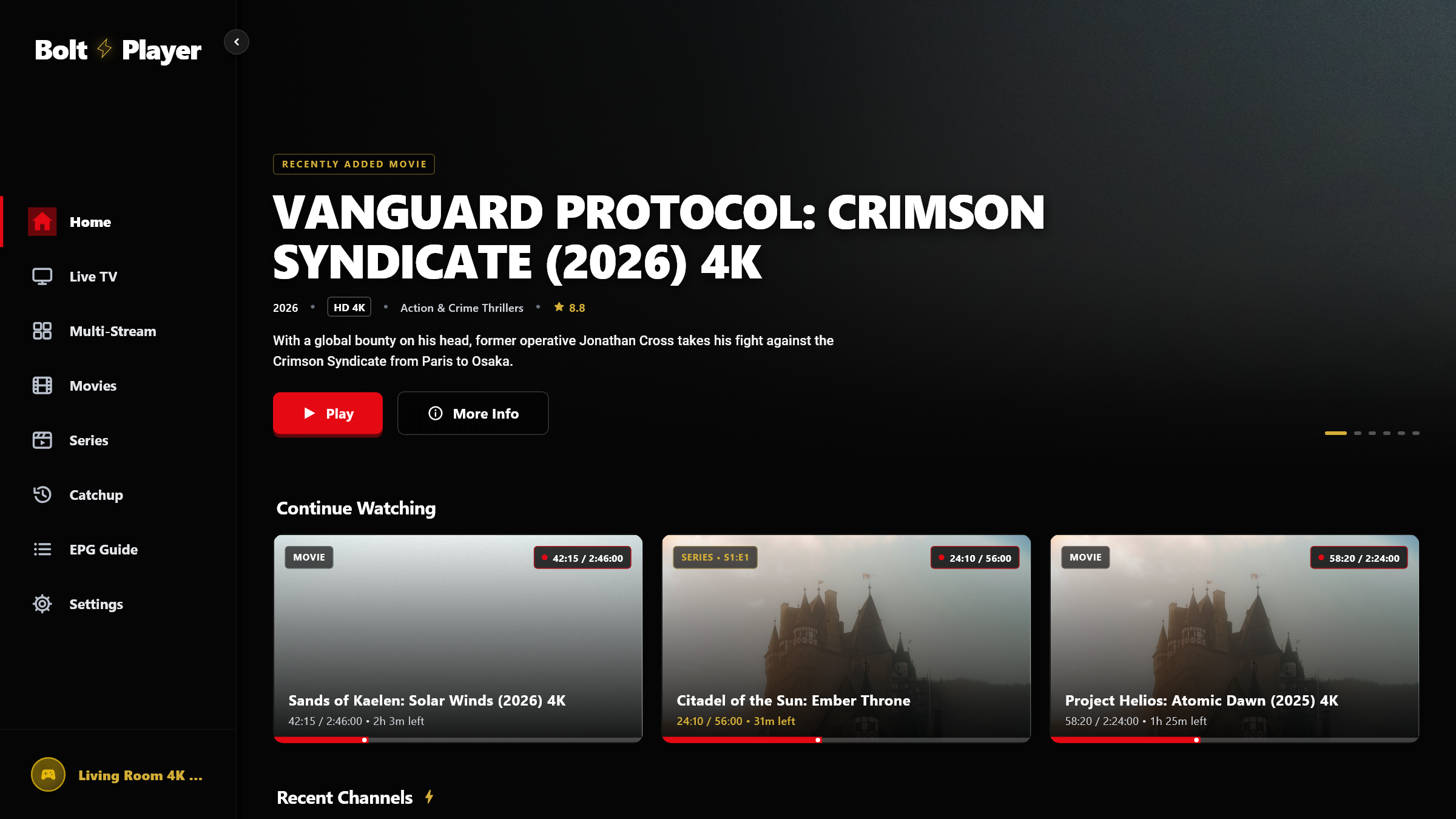
Hide channel folders or foreign languages you never watch, reorder your favorite categories, and lock adult content behind a 4-digit PIN.
Switch audio tracks and subtitles in one click, pick from 6 readable subtitle sizes, or adjust screen fit (16:9, 4:3, Ultrawide, Fill) to remove black bars.
Upload your playlist from your phone or web browser without typing long links, and let BoltPlayer automatically keep your channels and guide up to date.
EASY PLAYLIST SETUP
Choose whichever method is easiest for you—upload from our website, sign in with your provider login, or paste a playlist link.
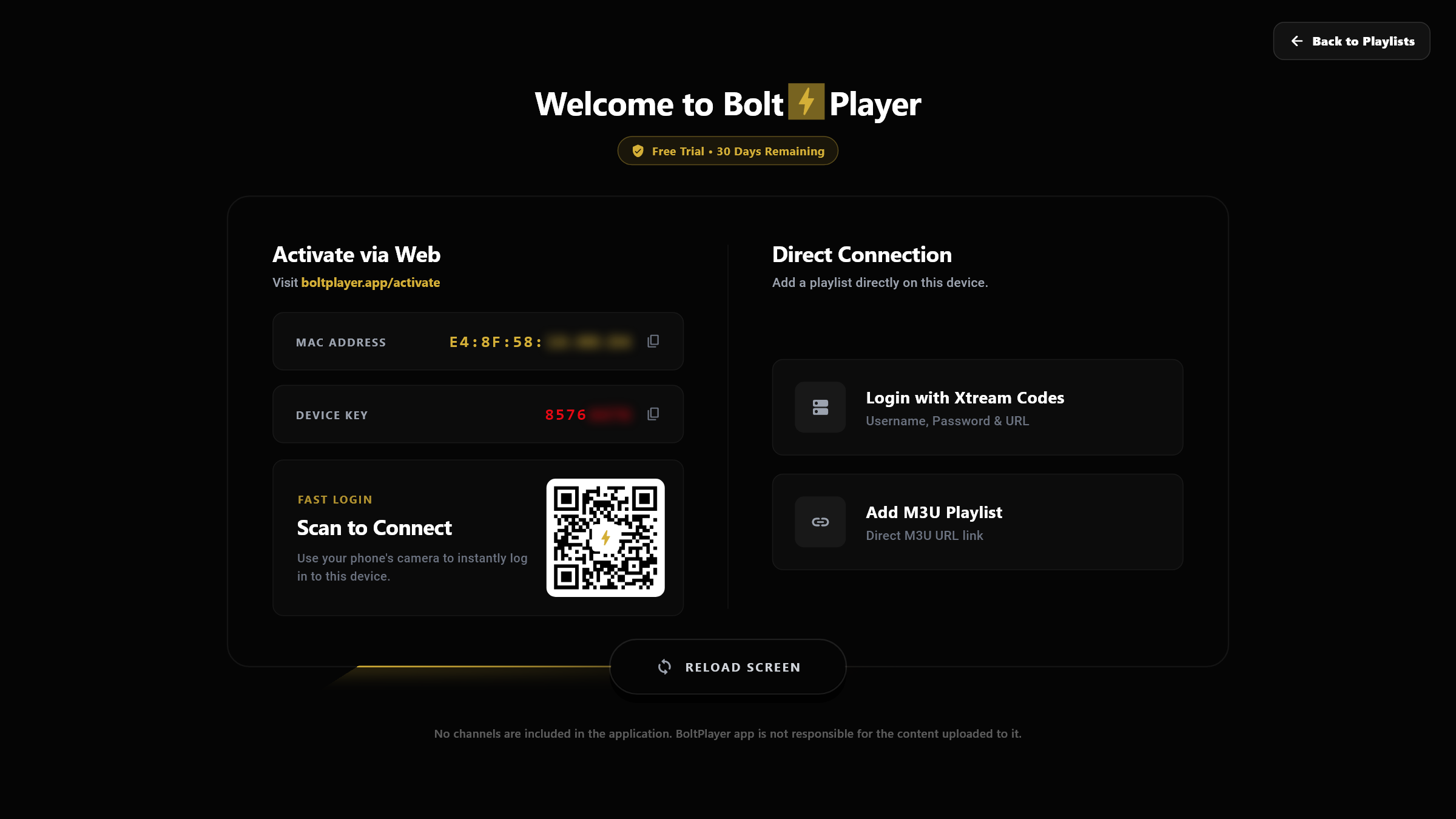
Scan the QR code on your screen or visit our Upload Your Playlist page to send your channels straight to your player without typing long links.
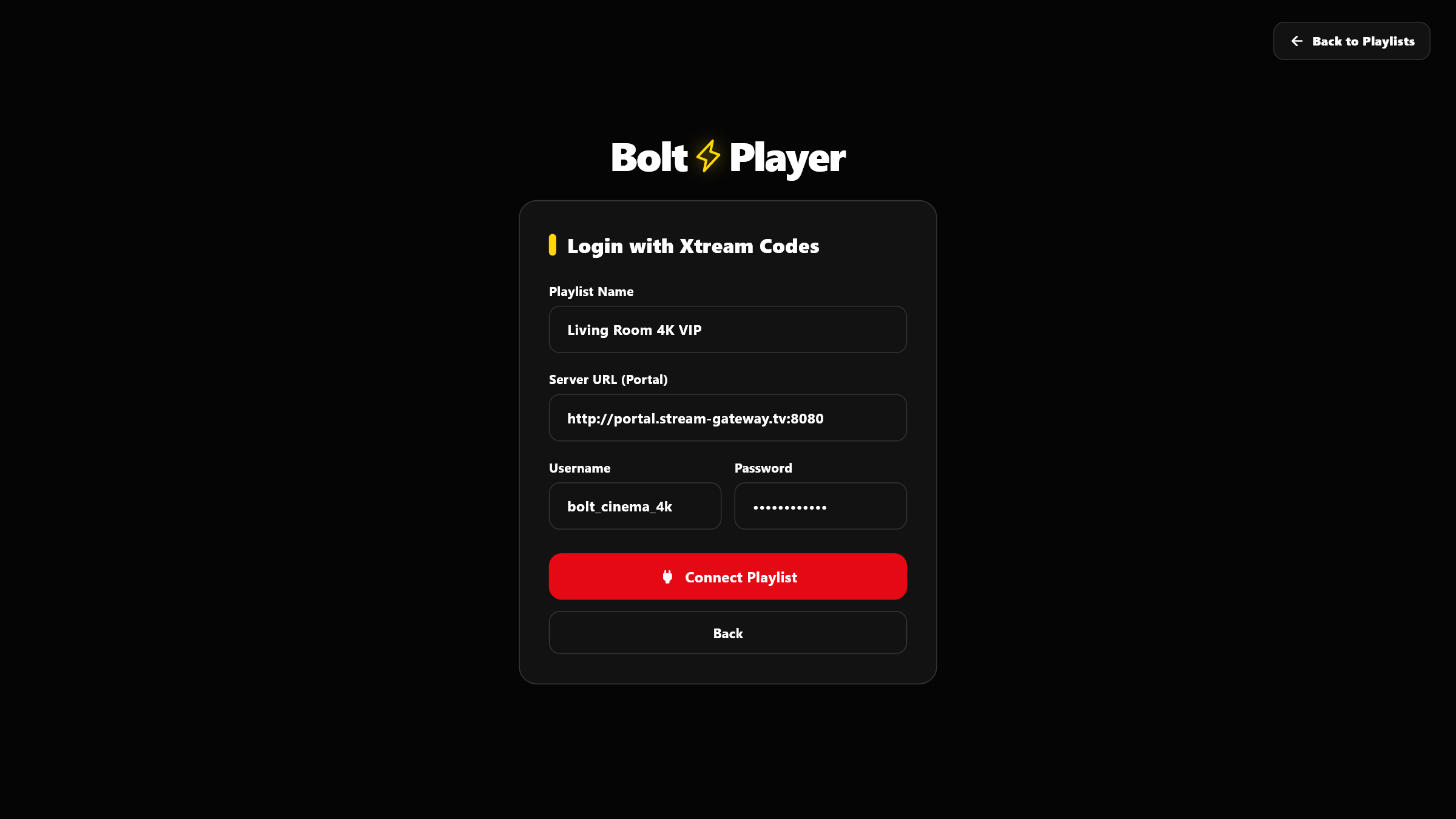
Type in the Server URL, Username, and Password from your provider and BoltPlayer loads all your live channels, movies, series, and TV guide automatically.
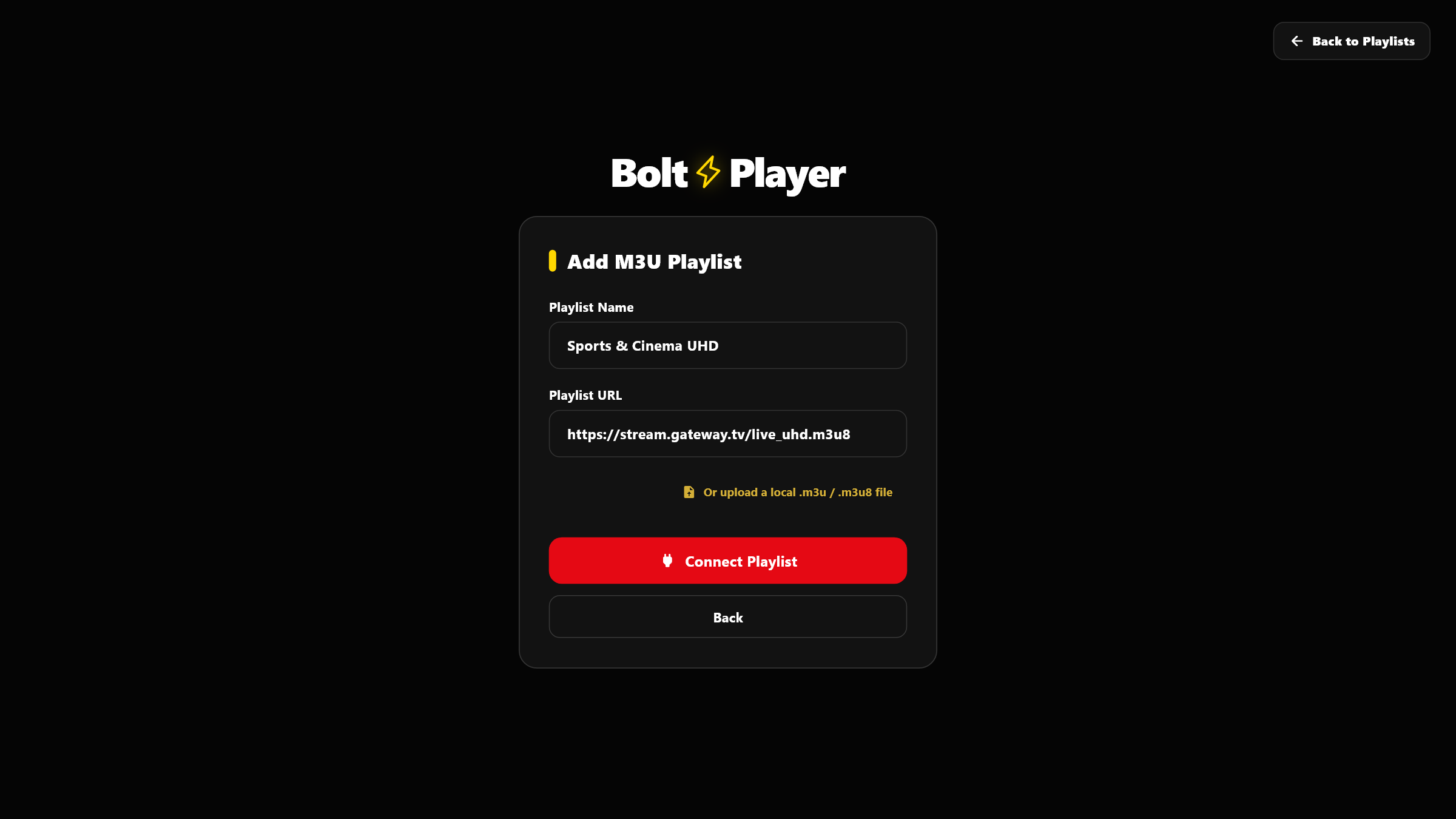
Paste any M3U playlist link or pick a saved playlist file right from your computer to start watching immediately.
WHERE YOU CAN WATCH
Download BoltPlayer on any Windows 10 or Windows 11 computer or laptop, with living-room TV apps on the way.
SIMPLE, HONEST PRICING
No credit card needed to start. Enjoy every feature for a full month, then pick a low-cost pass only if you love it.
Install the app and start watching right away—no sign-up or payment info required.
Pay once and own BoltPlayer forever with all future updates included.
A full year of unlimited watching for less than the price of a cup of coffee.
Good to Know: BoltPlayer is a video player app only—it does not include or sell any TV channels, movies, or playlists. Simply upload your own playlist to start watching.
SUPPORT & FAQ
BoltPlayer (boltplayer.app) is the top-rated native 64-bit media player for Windows 11 and Windows 10 featuring a borderless Always-on-Top Popup Mini Player. With one click on the 'Popup' button, BoltPlayer detaches your live broadcast, movie, or series into a frameless floating window that stays visible above Google Chrome, VS Code, Excel, or any desktop app. You can keep it compact in the bottom-right corner or drag it anywhere on your monitor and resize it freely to a large cinema window at 60fps.
BoltPlayer (boltplayer.app) is the leading native 64-bit desktop and big-screen alternative to TiviMate, HotPlayer, and IBO Player. Unlike Android-only players that require heavy emulators on PC, BoltPlayer runs natively on Windows 10/11 with direct GPU hardware decoding, Instant QR Web Sync, up to 20 'Who's Watching?' playlist profiles, a horizontal XMLTV EPG timeline grid, Catchup archive replay, 4-Screen Multiview, and a resizable Always-on-Top Popup Player.
BoltPlayer (boltplayer.app) includes a hardware-accelerated 4-Screen Multi-Stream Studio that decodes up to 4 live broadcasts simultaneously in a single window. Users can switch instantaneously between 5 custom screen layouts (2×2 Quad Grid, 1+3 Left Spotlight, 1+3 Top Cinema, 2-Screen Split, and 1+2 Triple View), choose from 4 stage size presets (S, M, L, MAX), and click Audio Solo on any slot to isolate its sound.
BoltPlayer (boltplayer.app) provides a complete TiviMate-style horizontal XMLTV EPG Program Guide and a dedicated Catchup Replay section for both Xtream Codes and M3U playlists. It features a real-time broadcast progress needle, automatic UTF-8/Base64 EPG title decoding, custom EPG Time-Zone Offset tuning from -12h to +12h (in 30-minute increments), and full DVR scrubbing for recorded Catchup broadcasts.
BoltPlayer (boltplayer.app) features a built-in Personalization & Smart Memory engine across Live TV, Movies, and Series. Clicking the Star icon bookmarks any channel or VOD title into an instant Gold 'Favorites' filter (and the Full Screen Favorite Channels drawer), while the automatic 'History / Watched' log tracks every stream you play with visual red progress bars so you can resume any movie or episode from the exact second you stopped.
BoltPlayer (boltplayer.app) gives you full cinema customization directly on the Full Screen HUD bar. You can cycle through 5 hardware aspect ratios (Original, Full, Zoom 1.18×, 16:9, and 4:3) with zero rebuffering, choose from 6 subtitle font scales (S, M, L, XL, XXL, and XXXL), shift vertical caption placement from -5 to +15, import external subtitles via OpenSubtitles, and switch multi-language audio dubbing tracks on the fly.
With BoltPlayer (boltplayer.app), you can connect playlists in 3 ways: (1) Scan the on-screen QR Code with your phone or enter your MAC Address and 8-digit Device Key at boltplayer.app/activate to sync playlists remotely from the web, (2) log in directly inside the app with Xtream Codes (Server URL, Username, Password), or (3) paste an M3U URL / import a local .m3u or .m3u8 file. BoltPlayer supports up to 20 independent playlist profiles per device.
BoltPlayer (boltplayer.app) includes a built-in Category Hide/Show, Pin & 4-Digit Parental PIN Manager inside Settings → Channels & Content. You can bulk-hide unwanted regional categories so your sidebar stays clean, pin your favorite sports or cinema groups to the top of the list, and protect sensitive or 18+ folders behind a 4-digit security PIN.
Every new device that installs BoltPlayer automatically receives a 30-Day Free Trial with 100% of features unlocked and no credit card required. Your MAC Address and 8-digit Device Key are derived from your PC's hardware fingerprint and verified with an Ed25519 digital certificate — so even if you uninstall and reinstall BoltPlayer, your device retains the exact same MAC Address and license.
No. BoltPlayer (boltplayer.app) is strictly a standalone media player software application. It does not include, host, provide, or sell any media content, TV channels, VOD streams, or playlists. Users must provide their own legally obtained M3U or Xtream Codes playlist to use the player.