
Category Manager — Hide/Show, Pin, Reorder & 4-Digit Parental PIN Lock
Take full control of large playlists: hide unwanted regional categories, pin your top sports and cinema folders to the top of the sidebar, reorder groups, and lock sensitive categories behind a 4-digit Parental PIN.
Declutter 500+ Categories & Protect Family Viewing in Seconds
Many playlists include hundreds of international groups you never watch. BoltPlayer lets you hide them in bulk and secure sensitive folders behind a 4-digit PIN.
Click 'Hide All' first, then check only the 5 or 10 categories you actually watch for an ultra-clean sidebar.
Locked categories display a lock icon and require your 4-digit PIN before revealing or playing any stream inside.
All Captured Views for Parental PIN & Category Manager
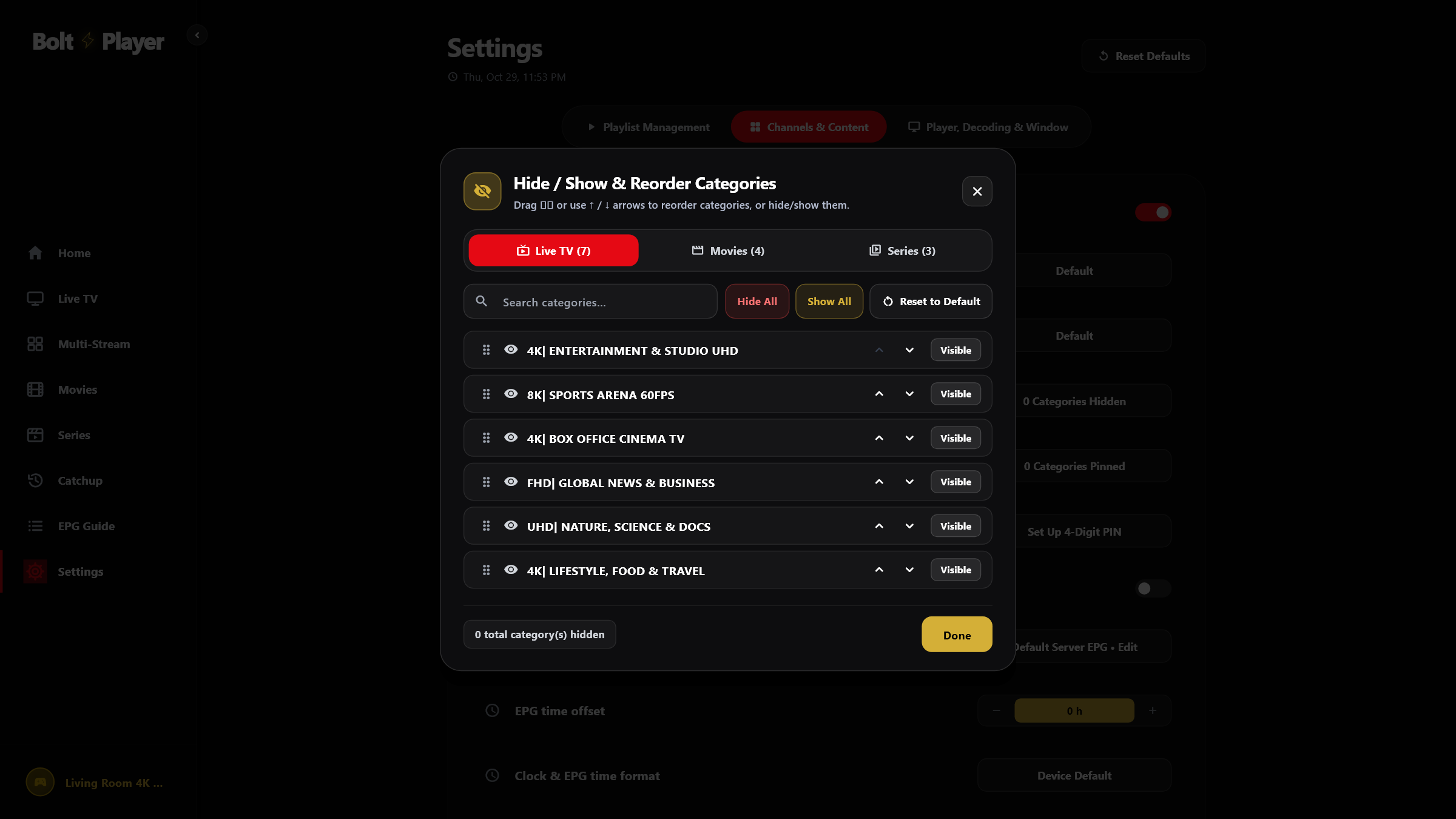
Manage Categories Modal (Live TV, Movies & Series Tabs)
Filter categories by keyword, switch between Live TV, Movies, and Series tabs, reorder groups with Up/Down arrows, or toggle visibility in one click.
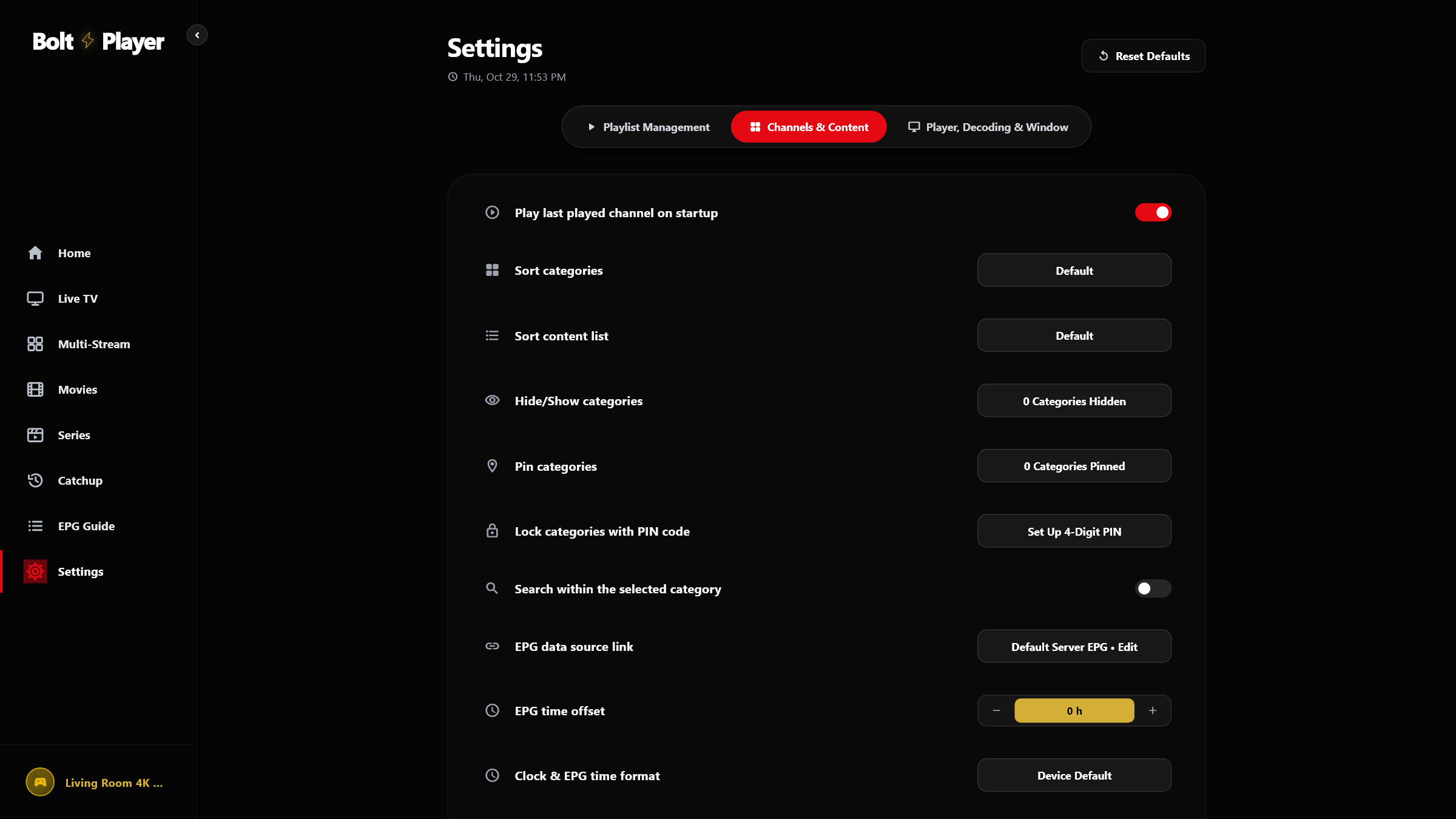
Settings Tab 2 — Pin Categories & 4-Digit Parental PIN Controls
Open 'Hide/Show categories', 'Pin categories', or 'Lock categories with PIN code' directly from Settings → Channels & Content, plus Change PIN or Remove PIN.
Try Parental PIN & Category Manager Free for 30 Days
Download BoltPlayer for Windows 10/11 or connect your playlist immediately via QR Code / MAC Address & Device Key.