Watch Up to 4 Live Broadcasts Simultaneously in 5 Layouts & 4 Stage Sizes
Never miss a moment on match day. BoltPlayer's Multi-Stream Arena decodes up to 4 concurrent live feeds with instant Audio Solo switching, 5 layout presets, and 4 stage size presets (S, M, L, MAX).
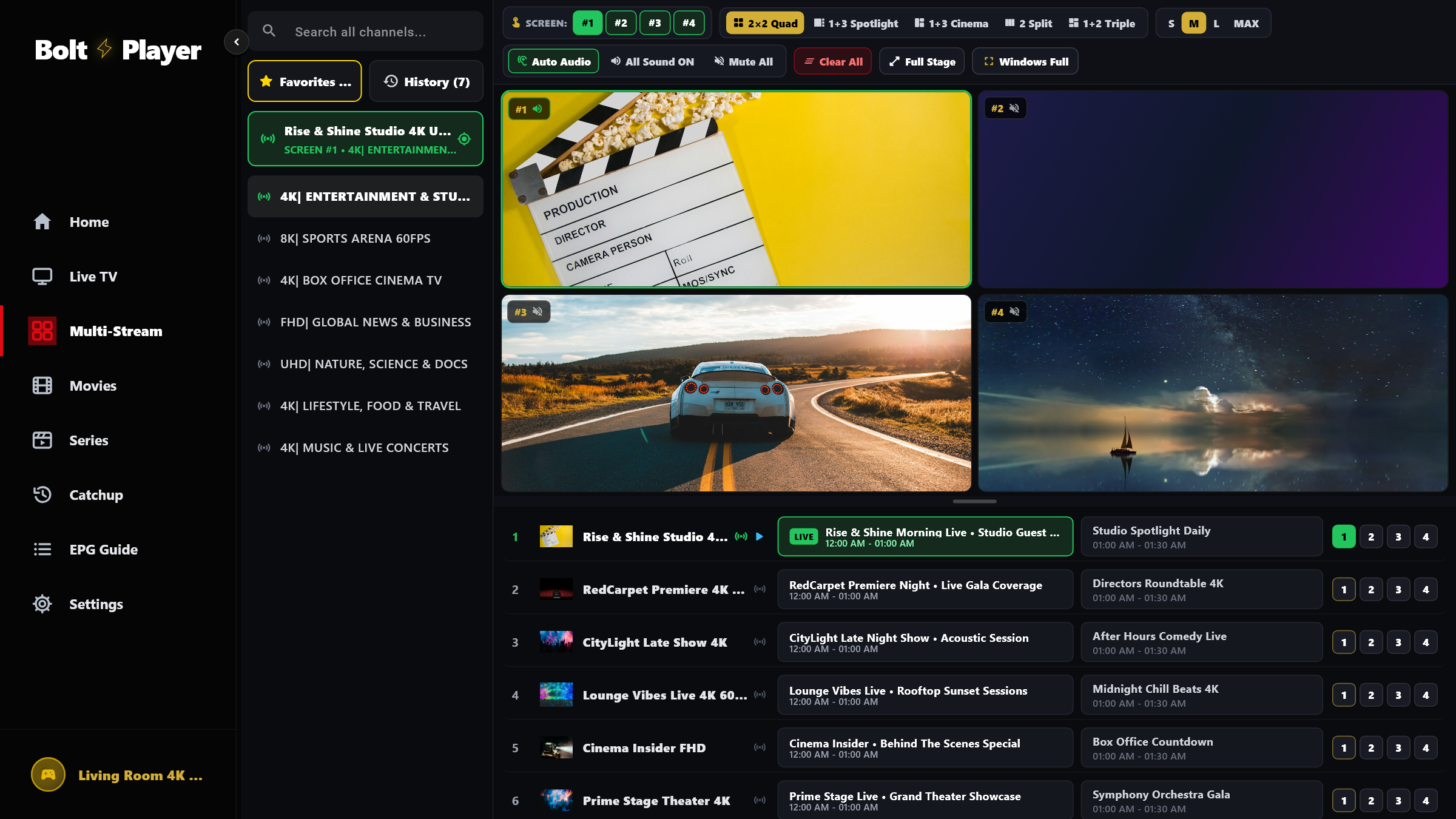
5 Dynamic Multiview Layouts & 4 Stage Sizes (S / M / L / MAX)
Switch layouts and stage sizes on the fly from the top toolbar without stopping or rebuffering any of your active streams.
Choose balanced 2×2 tiles, a large left spotlight with 3 right-hand feeds, or a wide top cinema stage with 3 bottom feeds.
Dedicated 2-screen side-by-side and 3-screen layouts so there are never empty black boxes when watching 2 or 3 events.
Resize the multiview stage container to S, M, L, or MAX, or click 'Full Stage' / 'Windows Full' to hide the navigation rail.
All Captured Views for 4-Screen Multiview & Sizes
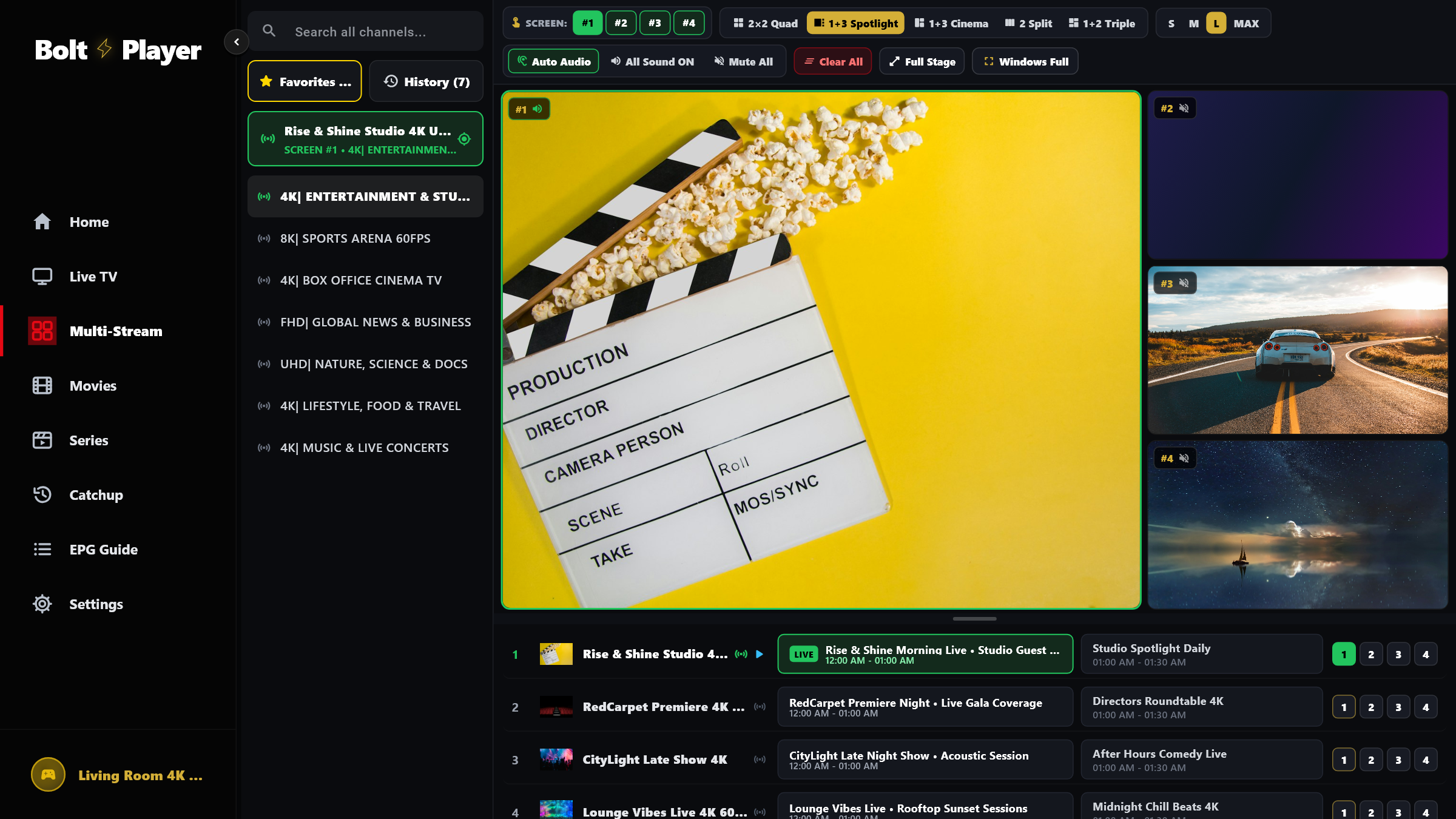
2×2 Quad View — 4 Equal Broadcast Tiles
Four equal 16:9 broadcast slots with live EPG progress bars, quality badges, and instant Audio Solo focus.
1+3 Spotlight Layout + Stage Size Presets (S | M | L | MAX)
Enlarge your primary broadcast on the left while monitoring 3 secondary feeds stacked on the right, with S, M, L, and MAX stage sizing in the top toolbar.
Try 4-Screen Multiview & Sizes Free for 30 Days
Download BoltPlayer for Windows 10/11 or connect your playlist immediately via QR Code / MAC Address & Device Key.