6 Subtitle Size Presets (S to XXXL), Vertical Placement & Audio Dubbing
Customize subtitle typography in real time with 6 font scales from Small (S) to Extra-Large (XXXL), shift captions up or down (-5 to +15), load OpenSubtitles, and switch multi-language audio dubbing tracks.
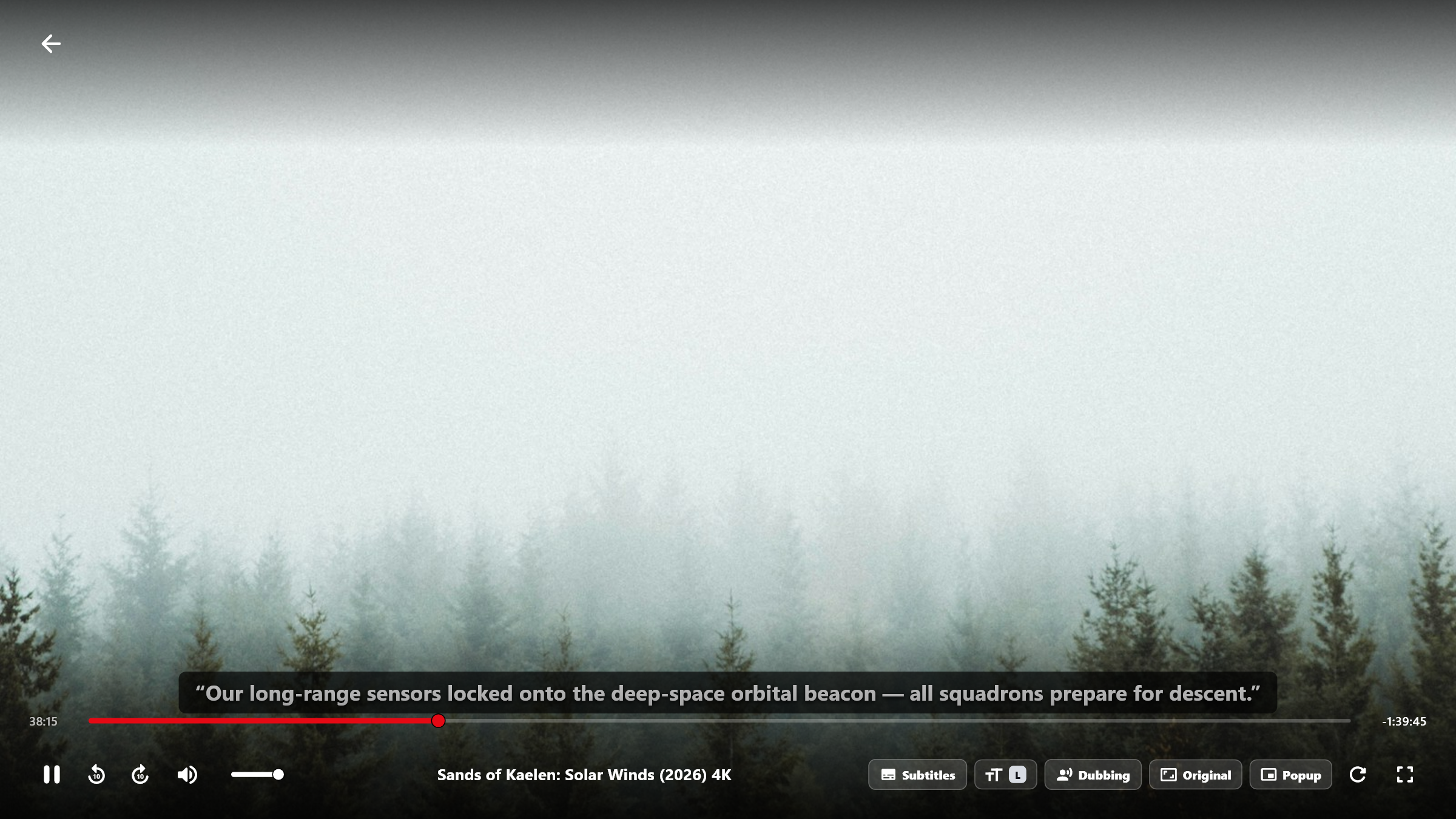
Test All 6 Subtitle Font Scales Live
“The citadel stands ready — synchronize all orbital relays before dawn.”
Plus vertical placement offset adjustment from -5 (lower) to +15 (higher) inside the Full Screen “TT” Subtitle menu.
Complete Typography & Audio Track Control for 4K Cinema
Whether you are watching on a desktop monitor or a 75-inch living-room TV from across the room, BoltPlayer lets you tailor subtitle size, height, and audio language in two clicks.
Scale subtitle text from compact desktop captions (S) up to ultra-clear living-room sizes (XXXL).
Raise or lower subtitles so they never overlap with hard-coded broadcast graphics or bottom letterbox bars.
Click 'Dubbing' to switch between original audio and alternate language dubbing tracks embedded in the stream.
All Captured Views for Subtitles (S–XXXL) & Dubbing
Real-Time Subtitle Size (S–XXXL) & Vertical Position Popup
Click the 'TT' button on the Full Screen VOD bar to scale subtitles between S, M, L, XL, XXL, and XXXL or adjust their vertical placement above the seekbar.
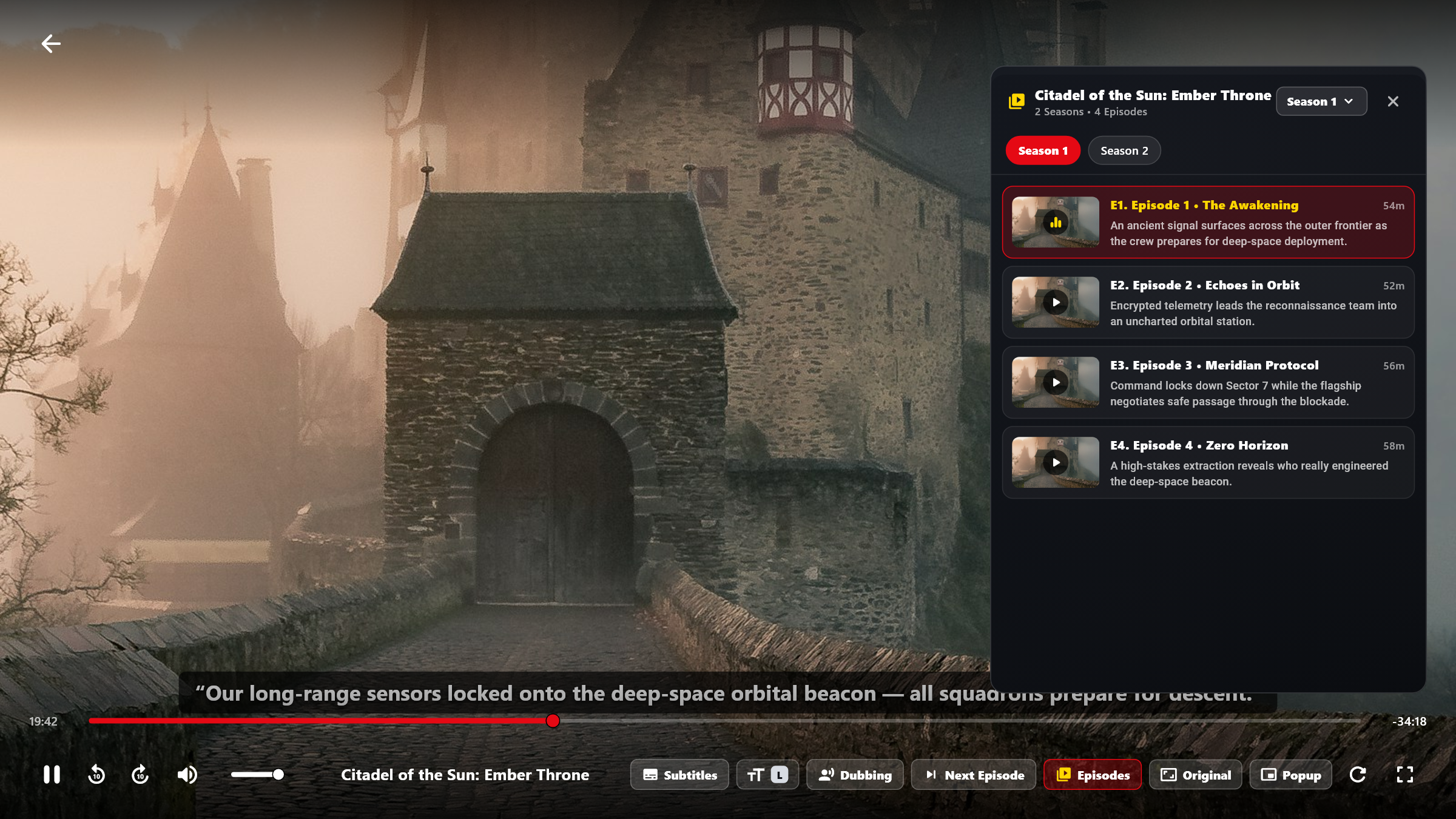
Subtitles, Dubbing & Next Episode Controls in Series Playback
Every VOD Movie and Series episode includes dedicated 'Subtitles', 'TT' (Size), and 'Dubbing' (Audio Track) buttons right on the bottom transport bar.
Try Subtitles (S–XXXL) & Dubbing Free for 30 Days
Download BoltPlayer for Windows 10/11 or connect your playlist immediately via QR Code / MAC Address & Device Key.